How to deposit on Convex: stake Curve LP tokens and lock CVX
Written by Convex Guide Editorial Team
· Fact-checked · 7 min read

Step-by-step tutorial with real screenshots: staking Curve LP tokens on Convex, converting CRV to cvxCRV, locking CVX and delegating votes.
Before you start
You need an Ethereum wallet with ETH for gas and either Curve LP tokens, CRV or CVX, depending on what you want to do. Always open Convex from a bookmarked official link.
Step 1: stake Curve LP tokens
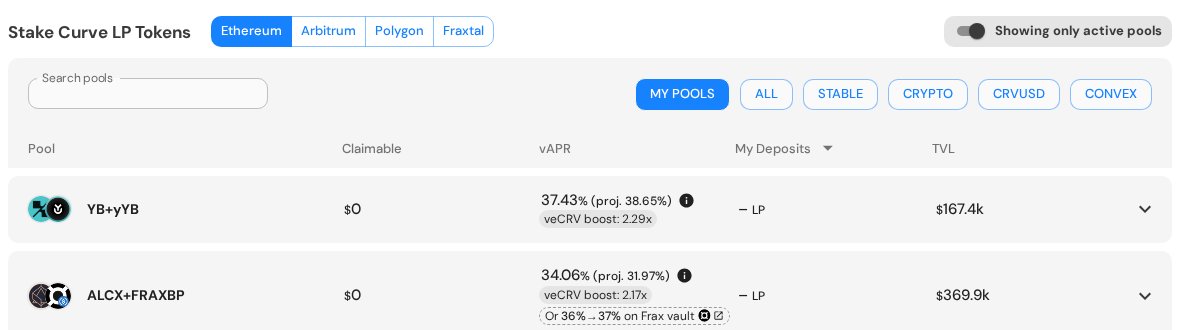
First add liquidity to a pool on Curve and receive LP tokens. Then open the Stake page on Convex, pick the network and find the same pool. Each row shows the current vAPR and the veCRV boost Convex receives for that pool. Expand the row, approve your LP tokens and click Deposit & Stake.
Step 2 (optional): convert CRV to cvxCRV
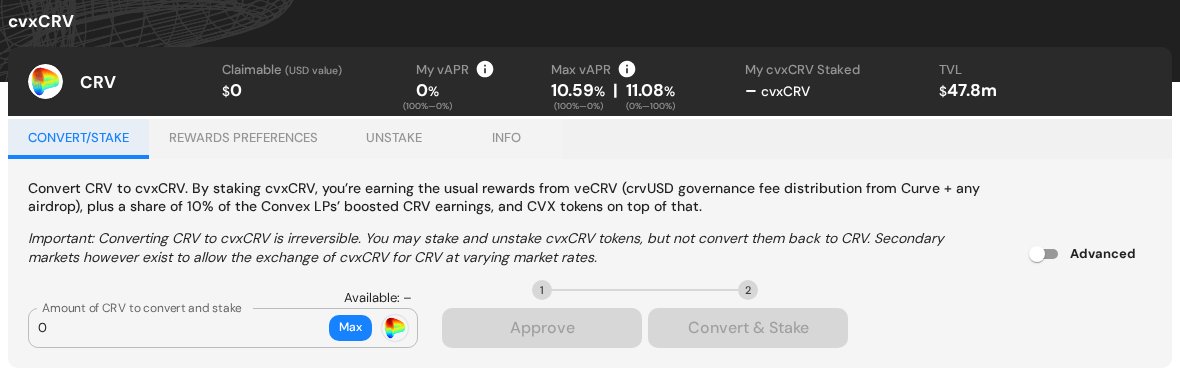
On the same page, the cvxCRV panel lets you convert CRV and stake it in one flow: enter an amount, click Approve, then Convert & Stake. Remember: this conversion cannot be reversed.
Step 3 (optional): lock CVX
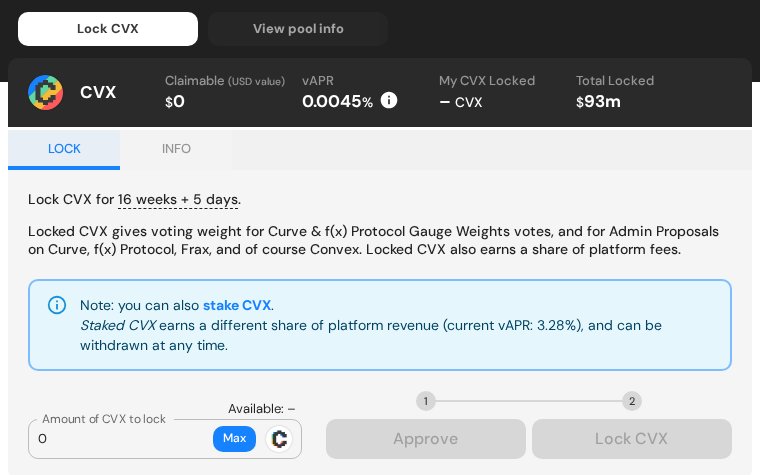
Open Lock CVX, enter the amount, click Approve and then Lock CVX. The panel shows the exact lock period — 16 weeks plus the days until the next epoch.
Step 4: delegate your votes
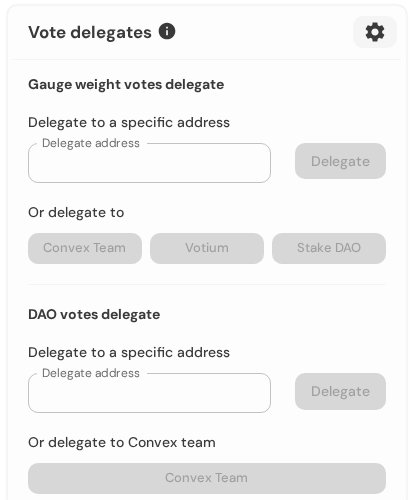
If you don't want to vote manually every two weeks, delegate gauge votes to Votium, Stake DAO, the Convex team or any address. Delegation must happen before a vote starts to count.
Claiming rewards
Rewards accrue continuously. Use the Claim page to collect CRV, CVX and other rewards from all positions in one transaction.
Related guides

10 min read
cvxCRV staking guide: how to convert CRV and earn rewards
Step-by-step guide to cvxCRV: what it is, how to convert and stake CRV, where rewards come from, the 10% fee share, the one-way conversion and how to exit.
Read guide →
9 min read
vlCVX explained: vote locking, epochs and vote incentives
How vlCVX works: locking CVX for 16 weeks, weekly epochs, voting on Curve gauges, earning fees and Votium incentives, delegation, relocking and the kick mechanism.
Read guide →